Meta Title:
Can I Upgrade Windows 11 Home to Pro? | Step-by-Step Guide 2025
Meta Description:
Wondering if you can upgrade your Windows 11 Home PC to Windows 11 Pro? Yes, you can — and it's easier than you think. Learn how to do it, what it costs, and why it’s worth it for professionals and remote users.
🇮🇱 Hebrew Version
כותרת מטא (Meta Title):
האם אפשר לשדרג מ-Windows 11 Home ל-Pro? | מדריך מלא 2025
תיאור מטא (Meta Description):
רכשתם מחשב עם Windows 11 Home? רוצים לשדרג לגרסת Pro? זה אפשרי — וזה פשוט! קראו כיצד לשדרג, מה המחיר ומה היתרונות עבור משתמשים מתקדמים ועסקים.
Main Keywords
🇬🇧 English
Upgrade Windows 11 Home to Pro
Windows 11 Pro license
Windows 11 Pro product key
How to upgrade to Windows 11 Pro
🇮🇱 Hebrew
שדרוג ל-Windows 11 Pro
מפתח מוצר Windows 11 Pro
רישיון Windows 11 Pro
איך לשדרג את Windows 11 Home לגרסת Pro
Secondary Keywords
English- Windows 11 Home vs Pro
- Remote Desktop Windows 11
- BitLocker encryption
- Windows 11 Pro features
- Windows 11 Pro activation
- Windows upgrade cost
- Microsoft Store product key
- In-place upgrade Windows
- System requirements for Windows 11 Pro
- Windows 11 for business users
- הבדל בין Windows 11 Home ל-Pro
- שולחן עבודה מרוחק
- הצפנת BitLocker
- תכונות מתקדמות ב-Windows 11 Pro
- הפעלת Windows 11 Pro
- כמה עולה לשדרג ל-Windows Pro
- רישיון חוקי של Windows
- שדרוג בלי לאבד קבצים
- מתאים לעסקים קטנים ועצמאים
- תמיכה במחשב מרחוק
Hebrew
Can I Upgrade My Windows 11 Home PC to Windows 11 Pro?
Yes, You Can: Here’s What You Need to Know
If you’ve recently bought a new computer and discovered it runs Windows 11 Home, you might be wondering: Can I upgrade to Windows 11 Pro? The short answer is yes — and it’s easier than you think. Whether you're working from home, managing a small business, or simply want more control over your PC, upgrading to Windows 11 Pro can give you advanced features designed for productivity, security, and flexibility.
This article will walk you through everything you need to know before making the upgrade — from the reasons people choose Pro, to what makes it different from the Home edition, and how to tell if your computer is eligible.
Why Upgrade to Windows 11 Pro? Key Features & Benefits
Windows 11 Home is a capable operating system that’s perfect for everyday users — browsing, email, video calls, streaming, and simple office work. But Windows 11 Pro is built with power users and professionals in mind. It includes everything Home offers, plus additional features designed for productivity and control.
Here are some of the biggest reasons users choose to upgrade:
BitLocker Device Encryption
Pro offers advanced data protection. If your laptop gets lost or stolen, BitLocker ensures your files are safe.Remote Desktop
Access your PC remotely from anywhere — a must-have for remote work or IT support.Group Policy & Device Management Tools
Useful for business users or anyone managing multiple PCs. It allows more control over settings and security policies.Windows Sandbox
A safe environment for testing software or opening files you’re unsure about.Hyper-V
A built-in virtualization tool that lets you run multiple operating systems on the same machine.Assigned Access & Kiosk Mode
Great for business or public-use devices, where you want to limit what others can do.
These features don’t just benefit large companies — small business owners, freelancers, IT students, and remote workers often find value in these tools.
Windows 11 Home vs. Pro: What’s the Difference?
Here’s a quick side-by-side comparison to help clarify the core differences:
| Feature | Windows 11 Home | Windows 11 Pro |
|---|---|---|
| BitLocker Device Encryption | ❌ | ✅ |
| Remote Desktop | ❌ | ✅ |
| Group Policy Editor | ❌ | ✅ |
| Hyper-V (Virtualization) | ❌ | ✅ |
| Windows Sandbox | ❌ | ✅ |
| Azure Active Directory Join | ❌ | ✅ |
| Assigned Access / Kiosk Mode | ❌ | ✅ |
| Support for Business Tools | ❌ | ✅ |
While Home covers the needs of most personal users, Pro unlocks deeper system settings and functionality — useful even for solo users who want better control or security.
How to Check if You’re Using Windows 11 Home
Before you upgrade, you need to confirm which version of Windows is currently installed on your PC.
Here’s how:
Press Windows Key + I to open Settings.
Go to System → About.
Scroll down to the Windows specifications section.
Look at the line that says Edition. If it says Windows 11 Home, you’re eligible to upgrade.
If it already says Windows 11 Pro, congratulations — you already have the upgraded version and don’t need to take further steps.
System Requirements for Windows 11 Pro
One of the most common questions is: “Will my PC support Windows 11 Pro?”
The good news is, if your computer is already running Windows 11 Home, it absolutely supports Pro.
That’s because Windows 11 Home and Pro share the same hardware requirements, including:
Processor: 1GHz or faster with at least 2 cores on a compatible 64-bit processor
RAM: 4 GB minimum
Storage: 64 GB or more
TPM 2.0 & Secure Boot: Required for all editions of Windows 11
Display: High definition (720p) with 9” or larger screen
Since you’re already using Windows 11, there’s no need to reinstall or make hardware changes to upgrade to Pro. It’s a software license change only, which means your files, apps, and settings stay exactly as they are.
Is Windows 11 Pro Right for You?
Now that you know the technical side is covered, ask yourself a few questions to decide if it’s the right move:
Do you work remotely and need remote access to your desktop?
Are you looking for better privacy and security tools?
Do you want more control over system settings and user permissions?
Are you a small business owner or freelancer managing sensitive data?
If you answered “yes” to any of these, upgrading to Windows 11 Pro is worth considering.
But even if you're just a tech-savvy home user who wants deeper customization, the upgrade can add long-term value and peace of mind.
How to Upgrade to Windows 11 Pro: Step-by-Step Guide
Upgrading from Windows 11 Home to Pro is a smooth process that doesn’t require reinstalling Windows or losing any data. All you need is a valid product key for Windows 11 Pro, and a few minutes to go through the steps.
Here’s how to upgrade your PC:
Step 1: Open the Settings App
Press Windows Key + I to open Settings.
Step 2: Go to the Activation Section
In the left menu, click System → scroll down and click Activation.
Step 3: Click “Upgrade your edition of Windows”
You’ll see a section that shows you are currently using Windows 11 Home. Click the “Change” button next to Change product key.
Step 4: Enter a Valid Windows 11 Pro Product Key
Now you’ll need to enter your Windows 11 Pro license key. If you already bought one, enter it here. If not, you can click “Open Store” on the same page and purchase one directly from Microsoft.
Once you enter the key, Windows will validate it. If it’s a valid Pro license, you’ll see a confirmation screen.
Step 5: Start the Upgrade
After verification, click Start Upgrade. Windows will download the necessary Pro features, apply them, and restart your PC.
The whole process usually takes less than 10 minutes, depending on your system speed.
After rebooting, your PC will be running Windows 11 Pro.
Where to Buy a Genuine Windows 11 Pro Product Key
To upgrade to Windows 11 Pro, you'll need a valid and genuine license key. It's important to avoid unauthorized or counterfeit keys, as they can lead to activation problems or even compromise your system's security.
Here are your best and safest options:
1. Trusted IT Resellers (Like ADCS) – Recommended
You can purchase a genuine Windows 11 Pro key from authorized IT resellers such as ADCS. These resellers often offer:
Competitive pricing
Bundle deals with laptops or desktops
Professional support in Hebrew
Proper licensing documentation and invoice
This is an ideal choice for business customers, freelancers, or anyone looking for local service and secure purchasing.
Tip: Always ensure you receive an official product key and proof of purchase.
2. Microsoft Store
You can also purchase the Windows 11 Pro upgrade directly through your system using the built-in Microsoft Store.
Go to: Settings → Activation → Open Store
Activation is immediate and linked to your Microsoft account
The license is delivered digitally, with no need for physical media
While this method is convenient and secure, it may not include local service or bundled offers available through authorized resellers.
Will I Lose My Files or Apps During the Upgrade?
One of the biggest concerns users have is:
“Will I lose my files, programs, or settings if I upgrade to Windows 11 Pro?”
The answer is no. The upgrade from Home to Pro is an in-place upgrade, meaning:
Your files stay exactly where they are
Your installed apps and programs remain untouched
Your personal settings and user preferences are preserved
There’s no need to back up unless you just want to be extra cautious
The only thing that changes is the license level and unlocked features. It’s one of the smoothest upgrade processes Microsoft has offered.
Frequently Asked Questions About Upgrading to Pro
💬 Q1: Can I use a Windows 10 Pro key to activate Windows 11 Pro?
Yes! A valid Windows 10 Pro license can also activate Windows 11 Pro.
💬 Q2: What if I already have a digital Pro license linked to my Microsoft account?
If your Microsoft account is already linked to a Pro license (from a previous PC), Windows may auto-activate Pro once connected online — no key needed.
💬 Q3: Can I switch back to Windows 11 Home later?
Not directly. You’d need to perform a full reinstall of Windows 11 Home, which would wipe your data unless backed up.
💬 Q4: Is Windows 11 Pro faster than Home?
Performance is similar for general use. The difference is in features and control, not speed.
💬 Q5: What happens if I enter a fake or invalid product key?
Windows will reject it. If you force it with third-party tools, you may face security risks, deactivation warnings, or even Microsoft account bans.
Final Verdict: Should You Upgrade Your PC to Windows 11 Pro?
If you value extra control, better security, and productivity tools, upgrading to Windows 11 Pro is a smart move — especially if you work from home, run a business, or handle sensitive data.
Here’s a quick summary of who should upgrade:
Upgrade if you…
Need Remote Desktop access
Want features like BitLocker or Hyper-V
Manage multiple devices or users
Work in IT, tech, or business environments
Stick with Home if you…
Only use your PC for casual browsing, email, and entertainment
Don’t need any of the Pro features listed
The upgrade is safe, fast, and affordable — and it could turn your good PC into a great one for professional use.
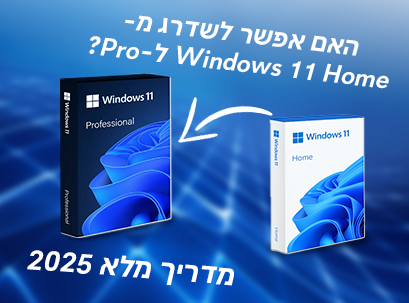
האם אפשר לשדרג את המחשב מ-Windows 11 Home ל-Windows 11 Pro?
כן, זה אפשרי: כל מה שצריך לדעת
אם רכשת לאחרונה מחשב חדש וגילית שהוא מגיע עם Windows 11 Home, סביר להניח שאתה שואל את עצמך:
האם אפשר לשדרג ל-Windows 11 Pro?
התשובה הקצרה היא כן — וזה גם פשוט יותר ממה שנדמה לך.
בין אם אתה עובד מהבית, מנהל עסק קטן או פשוט רוצה שליטה רחבה יותר על המחשב שלך — השדרוג לגרסת Pro של Windows 11 יעניק לך תכונות מתקדמות לניהול, אבטחה ופרודוקטיביות.
במאמר הזה נעבור יחד על כל מה שצריך לדעת לפני השדרוג — למה כדאי, מה ההבדלים בין הגרסאות ואיך לבדוק אם המחשב שלך מתאים לכך.
למה לשדרג ל-Windows 11 Pro? יתרונות ותכונות חשובות
Windows 11 Home היא מערכת הפעלה נהדרת לשימוש יומיומי: גלישה באינטרנט, מיילים, שיחות וידאו, צפייה בסטרימינג ועבודה משרדית בסיסית.
לעומתה, Windows 11 Pro נועדה למשתמשים מתקדמים, עסקים ואנשי מקצוע — עם כל מה שיש ב-Home ועוד תכונות ייעודיות לניהול ושליטה.
הנה כמה מהסיבות העיקריות לשדרוג:
BitLocker – הצפנת מידע מתקדמת שתגן על הקבצים שלך במקרה של אובדן או גניבה של המחשב.
שולחן עבודה מרוחק (Remote Desktop) – אפשרות להתחבר למחשב שלך מרחוק, פתרון מושלם לעבודה מהבית או תמיכה טכנית.
ניהול מדיניות קבוצתית (Group Policy) – מאפשר שליטה רחבה על הגדרות מערכת וניהול משתמשים.
Windows Sandbox – סביבה מבודדת לבדיקת תוכנות וקבצים מסוכנים.
Hyper-V – כלי וירטואליזציה להרצת מערכות הפעלה שונות על אותו מחשב.
גישה מוגדרת מראש (Assigned Access) – מתאים לעמדות ציבוריות או שימוש עסקי מוגבל.
השדרוג מתאים לא רק לחברות גדולות — גם עצמאיים, סטודנטים לאבטחת מידע, ואנשי IT מהבית ייהנו מתוספות אלה.
Windows 11 Home לעומת Windows 11 Pro – מה ההבדל?
השוואה מהירה בין הגרסאות:
| תכונה | Home | Pro |
|---|---|---|
| BitLocker (הצפנת קבצים) | ❌ | ✅ |
| שולחן עבודה מרוחק | ❌ | ✅ |
| Group Policy | ❌ | ✅ |
| Hyper-V | ❌ | ✅ |
| Windows Sandbox | ❌ | ✅ |
| חיבור ל-Azure Active Directory | ❌ | ✅ |
| מצב קיוסק (Kiosk Mode) | ❌ | ✅ |
| תמיכה בכלים עסקיים | ❌ | ✅ |
איך לבדוק איזו גרסת Windows יש לי?
כך תוכל לבדוק אם יש לך Windows 11 Home:
לחץ על מקש Windows + I כדי להיכנס להגדרות
עבור ל-מערכת → אודות
גלול למטה לחלק שנקרא מפרטי Windows
חפש את השורה "מהדורה" – אם רשום שם Windows 11 Home, תוכל לשדרג.
אם כבר מופיע Windows 11 Pro – אתה כבר משודרג, ואין צורך לבצע פעולה נוספת.
דרישות מערכת עבור Windows 11 Pro
אם Windows 11 Home כבר פועלת אצלך, תוכל להיות בטוח שגם Pro תפעל — לשתי הגרסאות אותן דרישות:
מעבד: במהירות 1GHz או יותר, עם לפחות 2 ליבות
זיכרון RAM: לפחות 4GB
שטח אחסון: מינימום 64GB
תמיכה ב-TPM 2.0 ואתחול מאובטח (Secure Boot)
מסך: באיכות HD בגודל 9 אינץ' ומעלה
זהו שדרוג של רישיון בלבד — ללא התקנה מחדש וללא מחיקה של תוכנות או קבצים.
למי מתאים Windows 11 Pro?
שאל את עצמך:
האם אתה עובד מהבית וזקוק לגישה מרחוק?
האם חשובה לך אבטחת מידע ברמה גבוהה?
האם אתה מנהל כמה משתמשים או מחשבים?
האם אתה עצמאי שעובד עם מידע רגיש?
אם ענית "כן" על אחת או יותר – Pro יכול לשדרג את החוויה שלך.
איך לשדרג ל-Windows 11 Pro – מדריך שלב אחר שלב
שדרוג ל-Windows 11 Pro הוא תהליך פשוט ולא דורש התקנה מחדש.
כך תעשה את זה:
שלב 1 – פתח את הגדרות המערכת (Windows + I)
שלב 2 – עבור אל מערכת > הפעלה (Activation)
שלב 3 – לחץ על "שדרג את מהדורת Windows שלך"
שלב 4 – הזן מפתח מוצר (Product Key) של Windows 11 Pro
שלב 5 – אשר את השדרוג → המחשב יופעל מחדש → ותוך דקות תעבוד עם Windows 11 Pro!
איפה ניתן לקנות מפתח מוצר מקורי של Windows 11 Pro
כדי לשדרג את המחשב שלך ל-Windows 11 Pro, תצטרך מפתח רישוי חוקי ומקורי. חשוב להימנע משימוש במפתחות לא מורשים או מזויפים, שכן הם עלולים לגרום לבעיות בהפעלה ואף לסכן את אבטחת המערכת.
הנה האפשרויות האמינות ביותר לרכישה:
1. משווקים מורשים ואמינים (כמו ADCS) – מומלץ
באמצעות משווקים מורשים כמו ADCS תוכל לרכוש מפתח חוקי ל-Windows 11 Pro ולקבל ערך מוסף:
תמיכה מקומית ושירות מקצועי בעברית
אפשרויות לרכישה כחלק מחבילה עם מחשב
קבלת מפתח מוצר תקני ומסמכי רישוי
תהליך רכישה מאובטח ואמין
זו אפשרות מצוינת עבור לקוחות פרטיים ועסקיים המחפשים חוויית רכישה בטוחה עם ליווי מקצועי.
טיפ: ודא תמיד שאתה מקבל מפתח מקורי עם חשבונית או מסמך רישוי מתאים.
2. חנות Microsoft
ניתן גם לרכוש את השדרוג ל-Windows 11 Pro ישירות מתוך מערכת ההפעלה באמצעות חנות Microsoft המובנית.
עבור אל: הגדרות → הפעלה → פתיחת החנות
ההפעלה מתבצעת מיידית ומקושרת לחשבון Microsoft שלך
הרישיון מתקבל בצורה דיגיטלית, ללא צורך במדיה פיזית
שיטה זו נוחה ובטוחה, אך ייתכן שלא תכלול שירות מקומי או הצעות חבילה שזמינות דרך משווקים מורשים.
האם אשמור על הקבצים שלי במהלך השדרוג?
כן! לא תצטרך לפרמט, למחוק או להתקין מחדש שום דבר. השדרוג:
שומר על הקבצים האישיים
לא מוחק תוכנות מותקנות
לא משנה את ההגדרות
מהיר, קל, וללא סיכון מידע
שאלות נפוצות על שדרוג ל-Windows 11 Pro
שאלה 1: אפשר להשתמש במפתח של Windows 10 Pro?
כן! מפתח תקני של Windows 10 Pro יפעיל גם את גרסת 11 Pro.
שאלה 2: יש לי כבר רישיון Pro מקושר לחשבון Microsoft – מה קורה?
Windows תזהה את הרישיון אוטומטית אם תיכנס עם אותו חשבון.
שאלה 3: אפשר לחזור ל-Home אחרי שדרוג?
רק על ידי התקנה מחדש מלאה של Windows 11 Home.
שאלה 4: האם גרסת Pro מהירה יותר?
הביצועים דומים. ההבדל הוא בתכונות ובשליטה, לא במהירות.
שאלה 5: מה קורה אם מכניסים מפתח מזויף?
Windows תדחה אותו. שימוש לא חוקי עלול לגרום לבעיות באבטחה, התראות או השבתת הרישיון.
סיכום: כדאי לשדרג ל-Windows 11 Pro?
אם אתה זקוק לאבטחה גבוהה, שליטה מתקדמת או כלים עסקיים — השדרוג ל-Pro שווה את זה. הוא מהיר, בטוח, ונשאר עם המחשב שלך לצמיתות.
מומלץ אם אתה…
זקוק לשולחן עבודה מרוחק
רוצה BitLocker או Hyper-V
עובד עם כמה מכשירים
עוסק בתחום ה-IT או העצמאות
השאר את Home אם אתה…
משתמש לצרכים בסיסיים בלבד
לא צריך תכונות ניהול ואבטחה מתקדמות
רוצה לשדרג עכשיו?
ניתן לרכוש מפתח רישוי מקורי דרך חנות Microsoft או דרך ADCS – רשת המחשבים שלך ולקבל תמיכה בעברית.